How to Estimate Your 2025 CPP & OAS: A Step-by-Step Guide
Learn how to use our free calculator to estimate your retirement income, including the new 2025 Enhanced CPP tier and OAS clawback.
Planning for retirement in Canada has just gotten more complicated. With the full implementation of the “Enhanced CPP” in 2025 introducing a second earnings ceiling (YAMPE), the old “back-of-the-napkin” math no longer works.
We built the 2025 CPP & OAS Estimator to handle this complexity for you privately in your browser.
This guide will walk you through exactly how to use the tool to get the most accurate estimate of your future monthly income.
Preparation: Get Your Data
While you can use estimates, for the best results, you should have your Statement of Contributions handy. You can view this by logging into your My Service Canada Account (MSCA).
This statement shows exactly how much pensionable income you earned every year since you turned 18.
Step 1: Personal Details & Retirement Age
The first section defines the timeline of your retirement.
- Date of Birth: Enter your exact DOB. This is crucial because CPP calculations start at age 18.
- Retirement Age slider: Move this between age 60 and 70.
Why this matters: If you take CPP before age 65, your payment is permanently reduced by 0.6% per month. If you wait after age 65, it is permanently increased by 0.7% per month. The calculator applies this math instantly as you move the slider.
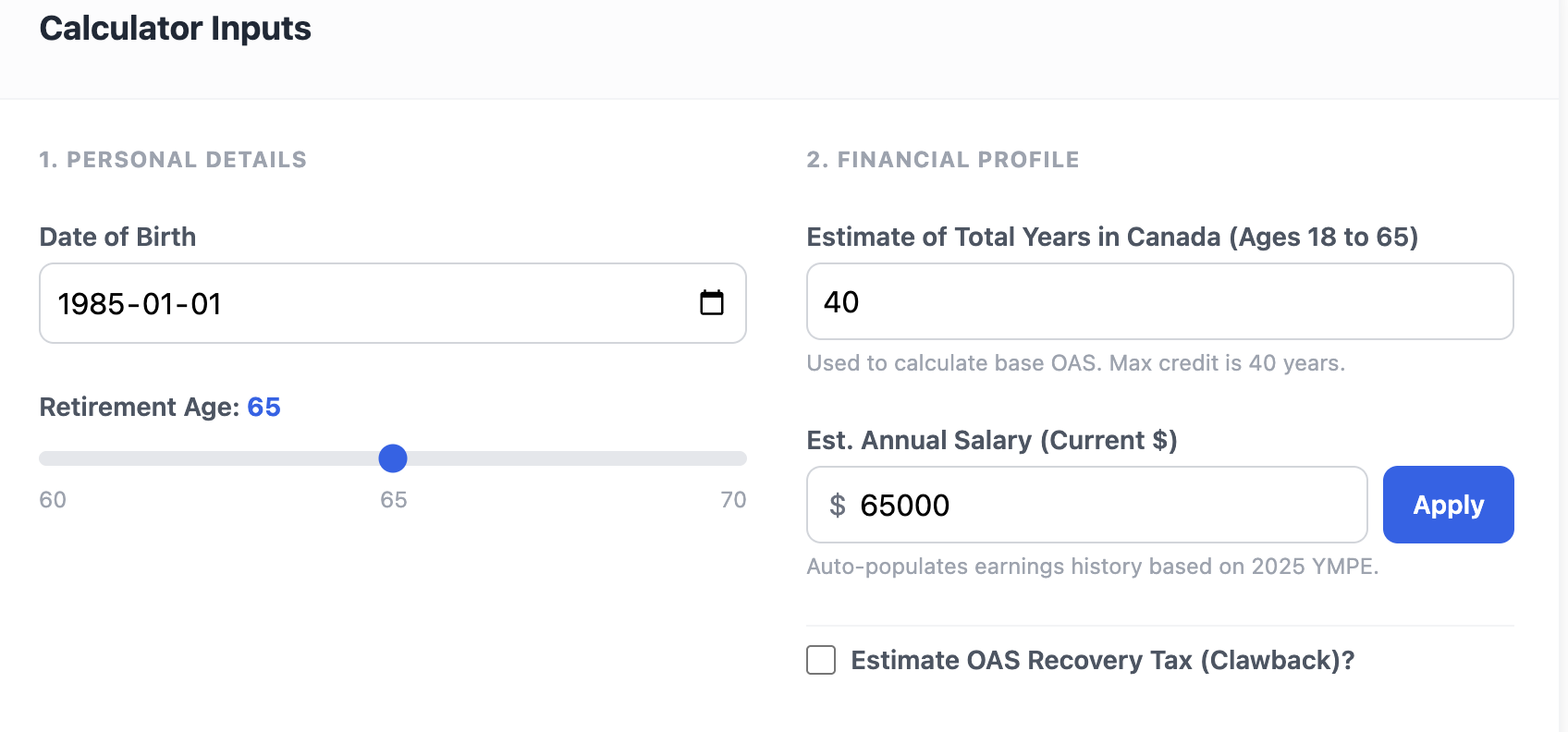 Above: Set your birthdate and explore how sliding your retirement age affects your bottom line.
Step 2: Your Financial Profile (OAS)
This section focuses primarily on Old Age Security (OAS), which is separate from CPP based on residency, not work.
- Years in Canada: Enter how many years you lived in Canada between age 18 and 65. You need 40 years for a full OAS pension. If you have less, the calculator will prorate the amount.
- Current Salary Estimate: Entering your current salary helps prepopulate future years in the earnings tab.
- OAS Clawback (Optional): If you expect to have significant income in retirement (over ~$93,000 in 2025), check this box and enter your estimated other income (like RRSP withdrawals or company pensions). The tool will calculate the potential “Recovery Tax” that reduces your OAS.
Step 3: The Earnings History (The Engine Room)
This is the most important part of the calculator. Click the “Earnings History” tab in the middle of the screen.
You will see a list of every year from when you turned 18 until your chosen retirement age.
How to fill this out:
- The “YMPE” Column: This shows the government’s maximum pensionable earnings for that year.
- Your Input: For past years, enter the amount from your Service Canada statement.
- Shortcuts: If you know you always earned more than the maximum, click the “Set Past to Max” button at the top. The calculator will automatically fill in the maximum allowed limit for every past year and highlight the input in green.
The 2025 Change: Notice that starting in 2024 and 2025, the maximums jump significantly. This accounts for the new “Second Tier” (YAMPE). Just enter your gross income, and the calculator figures out how much goes to the base tier versus the enhanced tier.
 Above: The Earnings History tab lets you input your actual past income to calculate your specific contribution ratio.
Step 4: Review Your Estimated Results
Once your history is entered, click the “Estimate Results” tab.
You will be presented with a complete breakdown of your estimated monthly income in 2025 dollars.
Understanding the Breakdown:
- Base CPP: The core pension based on the old rules.
- Enhanced CPP: The additional amount earned from contributions made since 2019 (including the new 2025 tier).
- OAS: Your Old Age Security payment, adjusted for how many years you lived in Canada and any potential clawback tax.
Smart Analysis
Don’t ignore the colored boxes at the top of the results! The calculator analyzes your inputs to give you personalized insights, such as:
- Warning you if you are missing residency years for full OAS.
- Calculating exactly how much money you are “leaving on the table” by retiring early.
- Alerting you if your income risks triggering the OAS clawback tax.
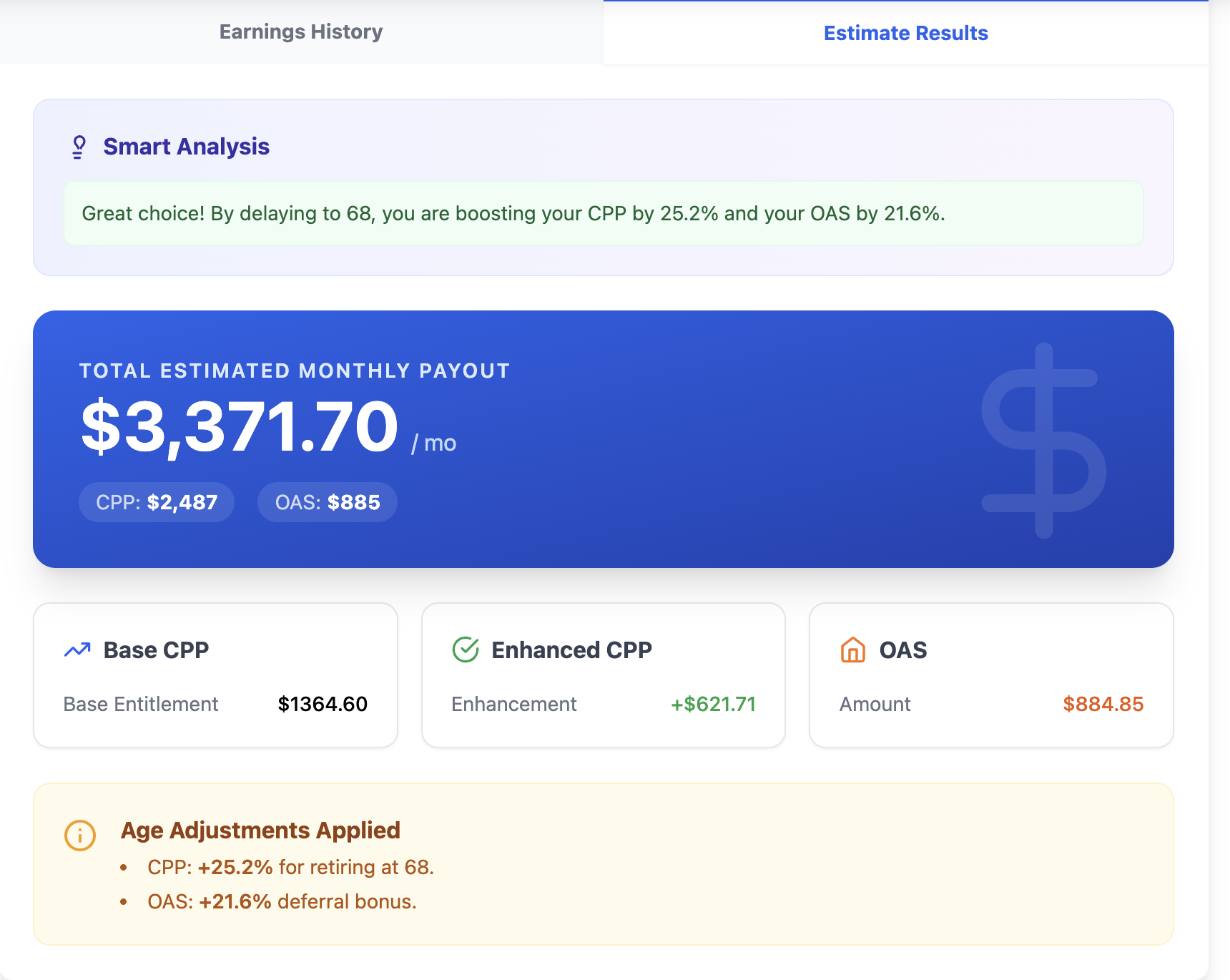 Above: The final results show your total monthly estimate and break down exactly where the money is coming from.